
Open the app
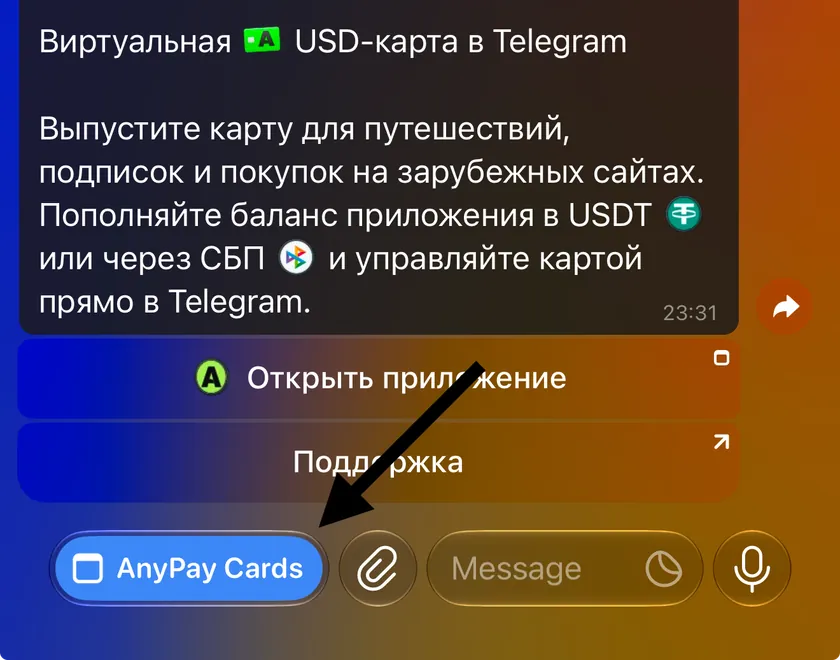
Open @any_paybot in Telegram and tap “Open app” or “AnyPay Cards”.
Choose a card
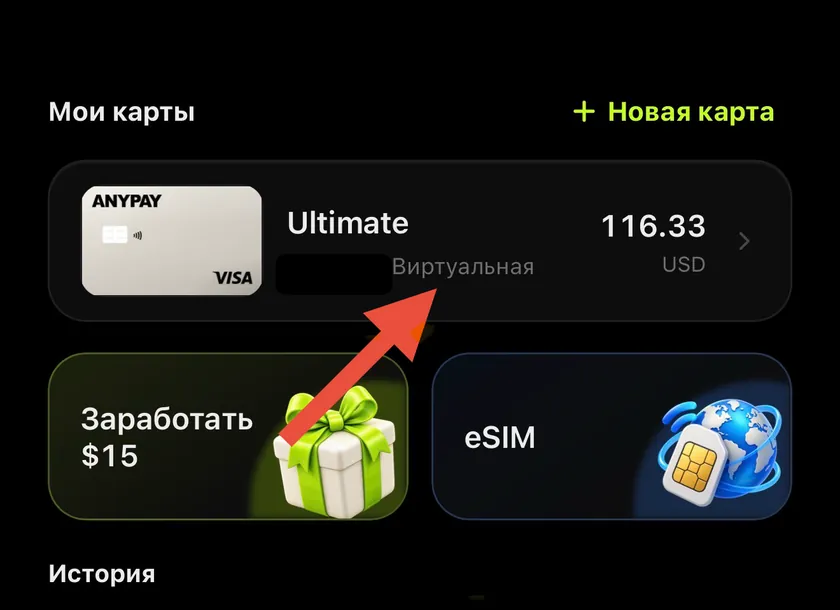
In “My cards”, tap the card you want to fund.
Tap Fund
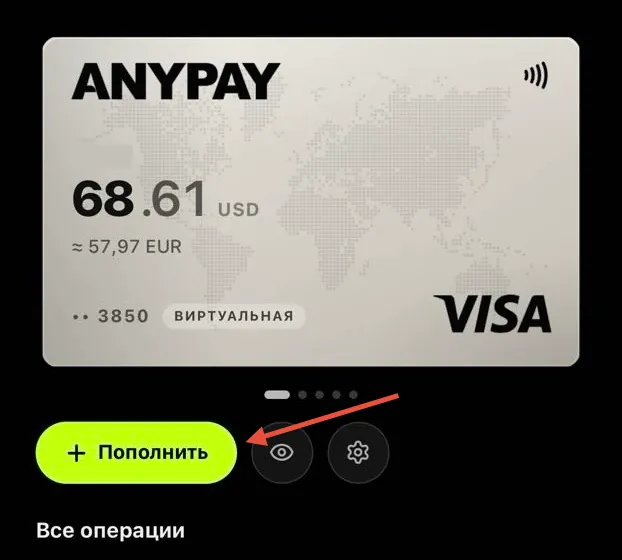
The button is inside the selected card.
Enter the amount and confirm
Enter an amount. The app shows the fee and how much the card will receive. Tap “Confirm”: the entered amount is deducted from your wallet and the card receives that amount minus the fee.
How to fund a card from your AnyPay wallet
Move funds from your wallet to the selected card. The fee and the amount the card will receive are shown before you confirm.
 Message us on Telegram