
Open AnyPay and get to know the app
AnyPay runs inside Telegram, so you do not need to install a separate app. You can issue a virtual card for international purchases and subscriptions, fund it and view its payment details. A virtual card has no plastic version: its details are available in the app.
Open the app
Open @any_paybot in Telegram. Tap Open app or AnyPay Cards at the bottom of the chat.
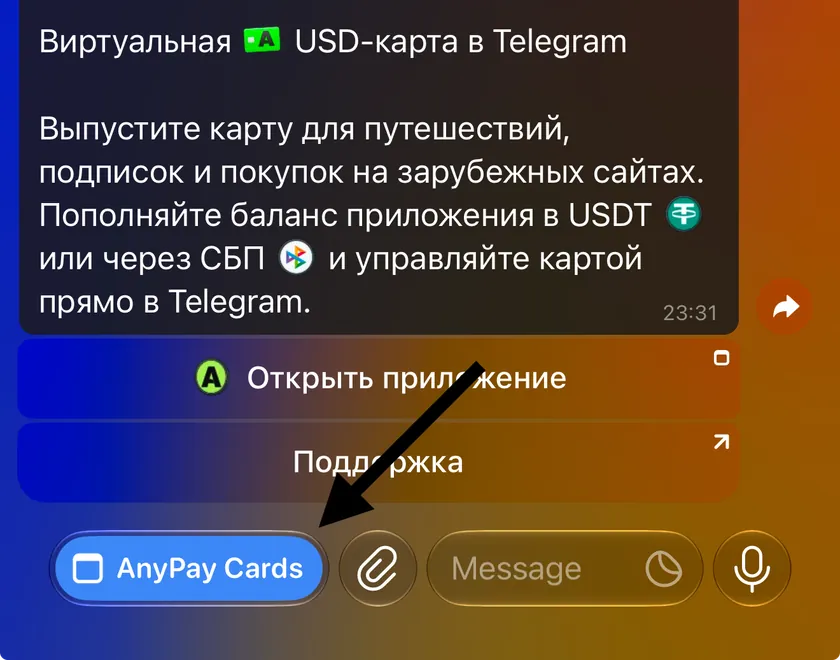
Choose a card for your needs
AnyPay offers two cards: Ultimate and Simple. Both support eligible international purchases, subscriptions, hotel bookings and tickets. The main difference is support for AI services and Apple Pay.
- Ultimate is an all-purpose Singapore card for a wide range of international services: from ChatGPT, Claude and Gemini to Booking, Airbnb, subscriptions and online purchases. It supports AI services and AI APIs, travel, hotel bookings and tickets. It works with Apple Pay and Google Pay. Choose Ultimate if you want one card for different needs.
- Simple is a Hong Kong card. It supports eligible international subscriptions, streaming, marketplaces, hotels, tickets and other online purchases. You can add it to Google Pay. Simple does not support direct AI-service payments, AI APIs or Apple Pay. Use Ultimate for direct AI payments and Apple Pay.
- Both cards have no service fee. Issuance costs, funding fees and limits differ: full terms are available in the card comparison.
Fund your wallet
Your wallet is your shared AnyPay balance. Add money here first, then move the amount you need to a card. In the app, you can fund the wallet with USDT through the TRC-20 network.
- On the AnyPay home screen, tap Fund and choose USDT TRC-20.
- Copy the address from the app and send USDT through the TRC-20 network.
- Once credited, the funds will appear in your AnyPay wallet. Moving them to a card is a separate step, explained below.
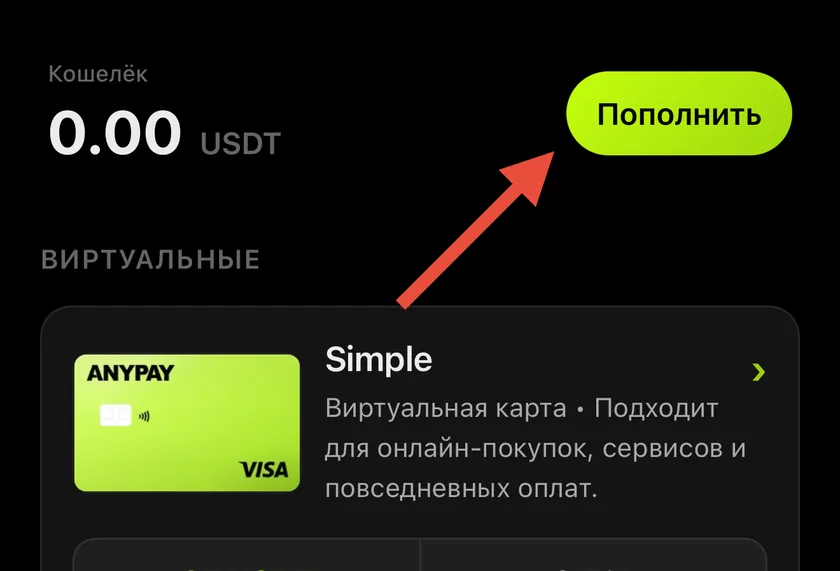
Issue your chosen card
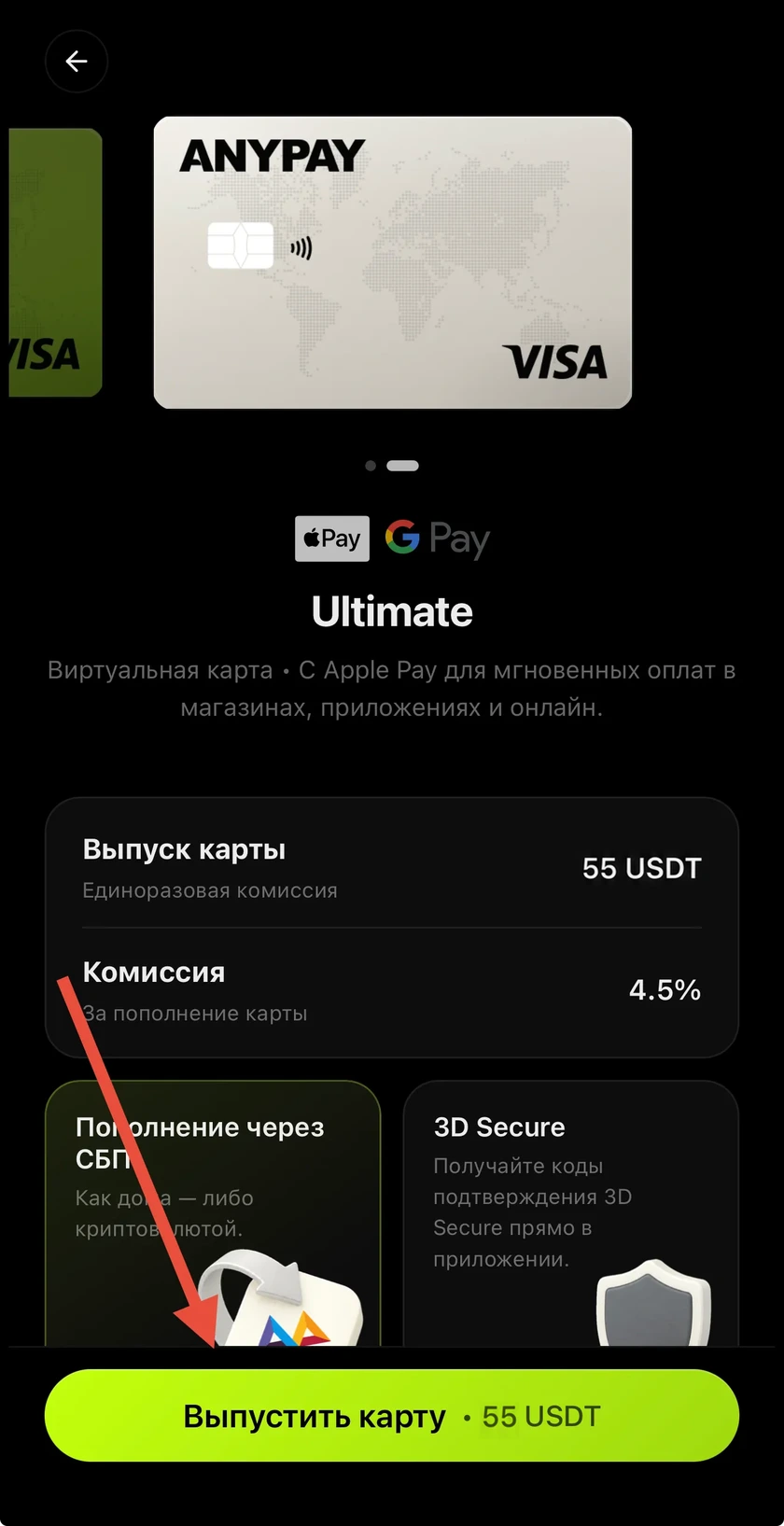
Open your chosen card and tap Issue card. The card is issued instantly: its number, expiry date and CVV are immediately available in AnyPay. No additional activation is needed — fund the card and start using it.
Fund the card from your wallet
Move money from your wallet to the selected card. A funding fee is deducted at this stage: 3.5% for Simple and 4.5% for Ultimate. Before you confirm, the app shows the fee and the amount that will reach the card.
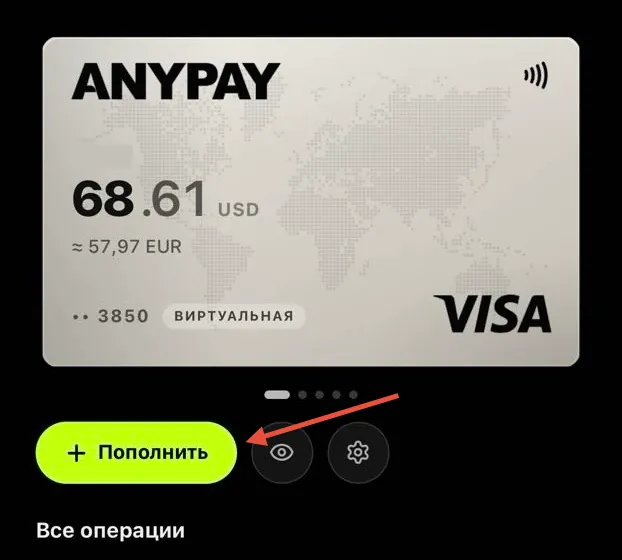
- Tap the issued card you want to fund.
- Tap Fund and enter the amount you want to move from your wallet.
- The app automatically calculates the fee and shows how much will reach the card after the fee is deducted.
- Tap Confirm. The amount you entered will be deducted from your wallet, and the card will receive that amount minus the fee.
Pay for purchases and subscriptions
Use your card online or add it to Apple Pay or Google Pay to pay with your phone wherever that payment method is supported. Choose the scenario you need:
- Online payments: open the card details in AnyPay and enter the number, expiry date and CVV in the payment form. Use your real first and last name in Latin characters. If a billing address is required, copy it from the card details.
- Phone payments: add Ultimate to Apple Pay, or Ultimate / Simple to Google Pay. If adding a card requires an SMS code, it will arrive in the AnyPay bot on Telegram — enter it on the verification screen.
- Payment confirmation: some services request 3D Secure, an additional payment verification step. If prompted, complete it in AnyPay.
- Paying for a specific service: the help center has instructions for ChatGPT, Claude, Spotify, Booking and other services. Find the service using the search at the top of this page to learn its payment requirements.
Apple Pay, the App Store, Google Pay and Google Play are different routes
Apple Pay and Google Pay are selected at merchant checkout after adding a card to the relevant wallet. The App Store bills through your Apple Account, while Google Play bills through a Google payment profile. An app being listed in a store does not mean it offers in-app subscription purchases.
 Message us on Telegram