
What you need
Use an issued Ultimate or Simple card with funds on its balance. Before linking it, change your Apple Account region to your card’s country:
- Ultimate — Singapore.
- Simple — Hong Kong.
- The funds must be on your AnyPay card itself: funding the card from your wallet is a separate step.
Before changing the region
Prepare your account first. A remaining balance, active subscriptions or pending purchases may prevent Apple from changing your country.
- Spend your remaining Apple Account balance. This means the balance held by Apple, not your AnyPay wallet.
- Cancel subscriptions that block a region change and wait for the paid period to end. Access continues until that date after cancellation.
- Complete or cancel pre-orders; wait for film rentals and refunds to finish.
- If Family Sharing blocks the country change, leave the family group.
Change your Apple Account region
Open your account settings and select your card’s country. After accepting Apple’s terms, continue to the payment details form.
Open the account settings
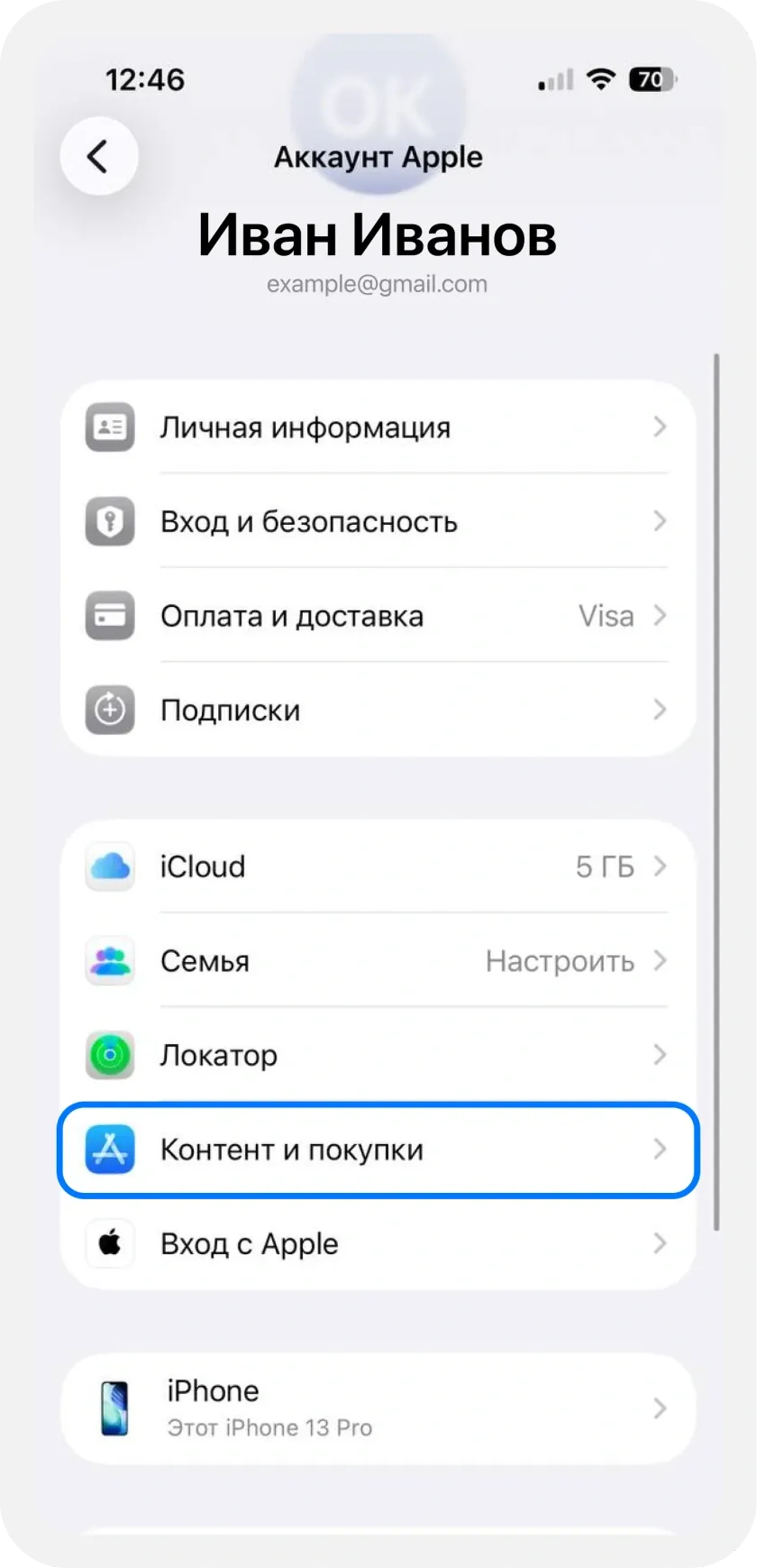
On your iPhone, open Settings → your name → Media & Purchases → View Account. The screenshot shows Media & Purchases as «Контент и покупки» in Russian.
Select your card’s country
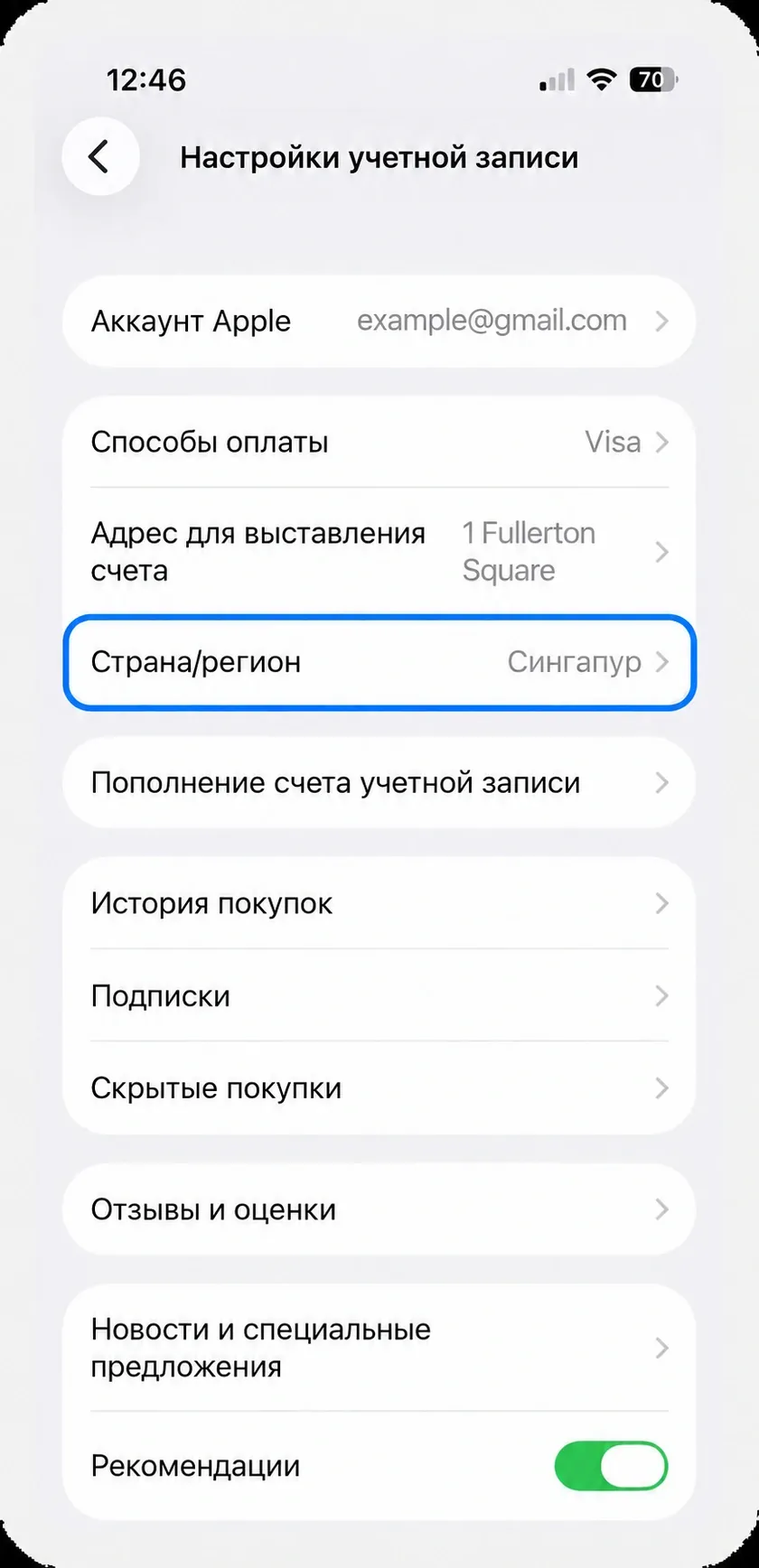
Tap Country/Region. Choose Singapore for Ultimate or Hong Kong for Simple, then tap Continue.
Accept Apple’s terms
Read the terms and tap Agree. Add your card and address in the form that appears, following the next steps — you do not need to open Payment & Shipping separately.
Enter your card details
Apple will ask for your card details. They are available in the AnyPay app.
Choose the payment method
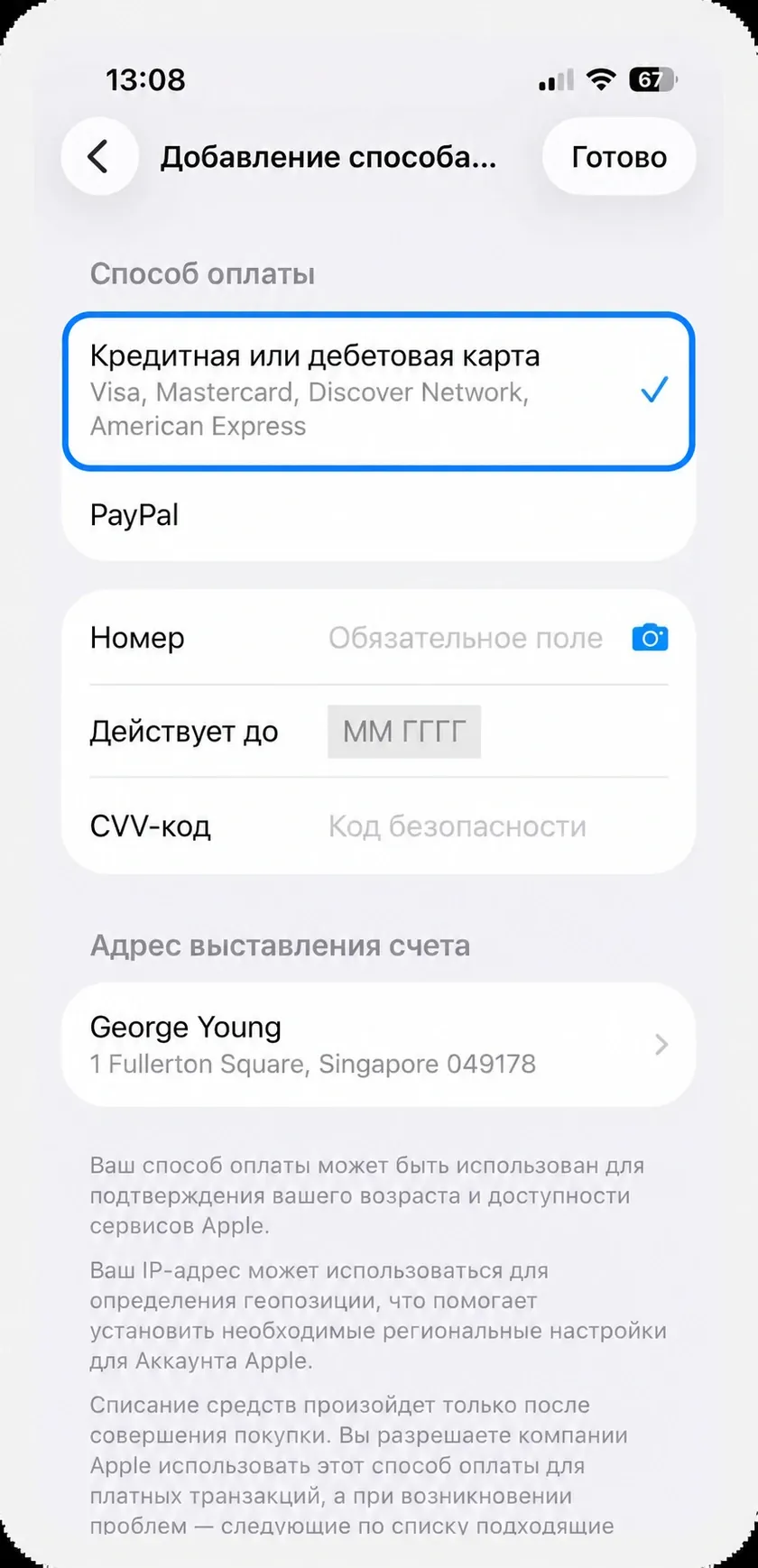
Select Credit or Debit Card in Apple’s form. Fields for your card number, expiry date and CVV will appear below.
View the details in AnyPay
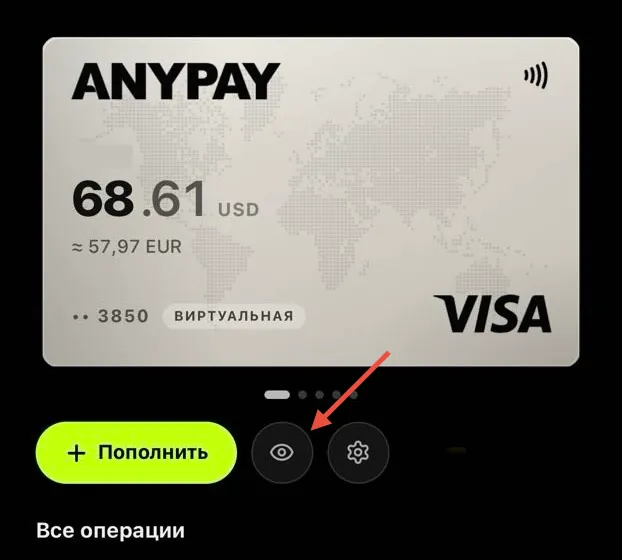
Open your chosen card and tap the eye icon below it. Enter the card number, expiry date and CVV in Apple’s form.
Enter your first and last name
Use your real first and last name in Latin characters. Then continue to the billing address.
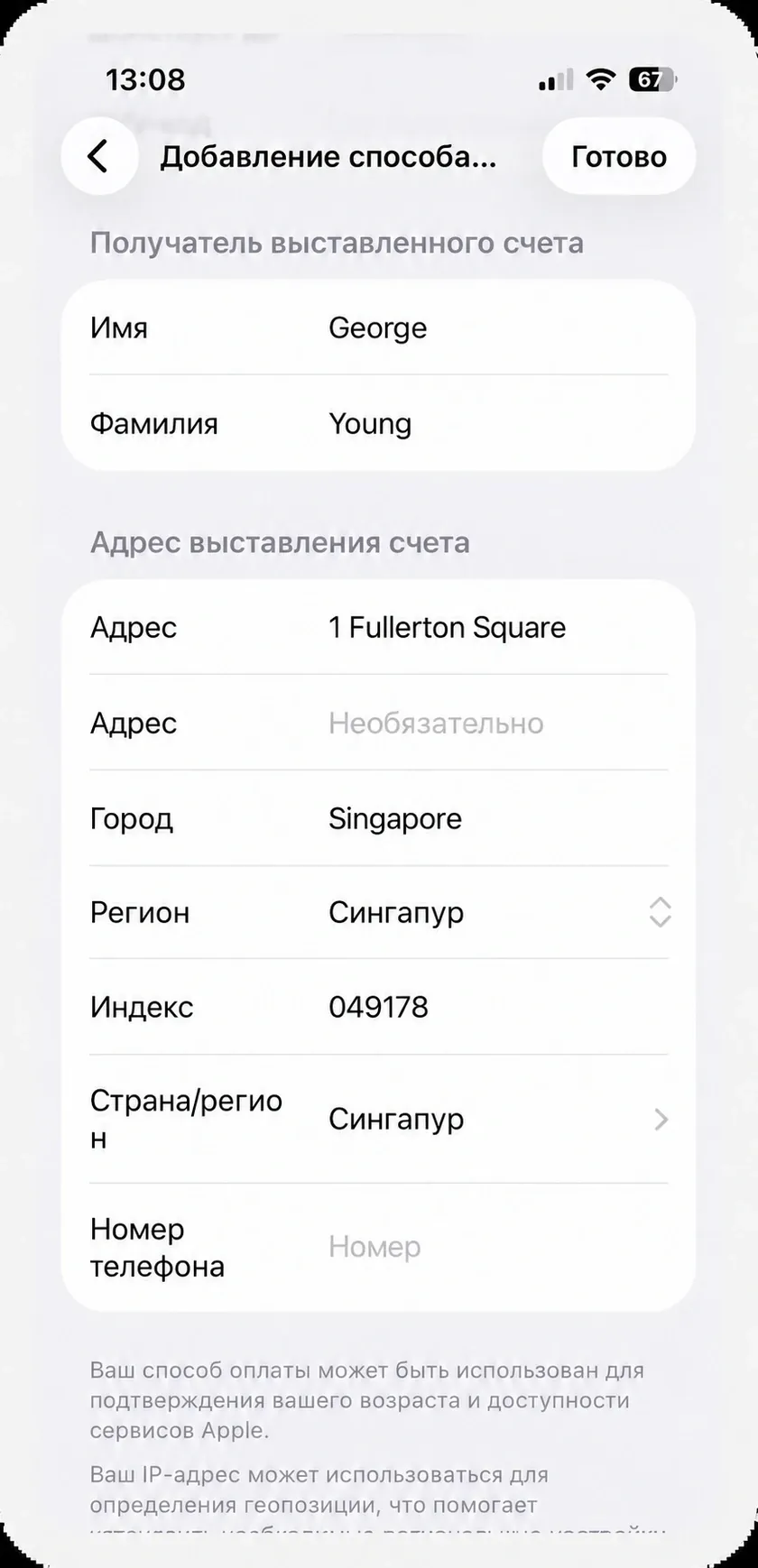
Fill in the billing address
Ultimate requires a Singapore address; Simple requires a Hong Kong address. Fill in the address fields using Latin characters:
- Address — the street number and name.
- Address line 2 — apartment or office; leave it empty if it does not apply.
- City — the city for your chosen address.
- Region — the address region, if this field appears.
- Postal code — the code for your chosen address if the form requests it. For the Singapore address in the example, use 049178.
- Country/Region — Singapore for Ultimate or Hong Kong for Simple.
- Phone — enter a number in the selected country’s format if Apple requests it.
Save your card and pay for a subscription
Tap Done to save your payment details. Choose your purchase or subscription in the service you want — Apple will use the card you added.
- App Store — open an app or in-app purchase and confirm payment.
- iCloud+ — choose a plan in iCloud settings and subscribe.
- Apple Music — open the app and start your chosen subscription.
Apple Pay, the App Store, Google Pay and Google Play are different routes
Apple Pay and Google Pay are selected at merchant checkout after adding a card to the relevant wallet. The App Store bills through your Apple Account, while Google Play bills through a Google payment profile. An app being listed in a store does not mean it offers in-app subscription purchases.
 Message us on Telegram